Turn a raw manga page into finished lettering.
Yomika brings detection, OCR, inpainting, translation, review, typesetting, and export into one page-aware workspace. Run the built-in pipeline locally, then opt into a hosted provider only when your project needs one.
- Portable Windows release
- Source builds for Linux and macOS
- GPL-3.0
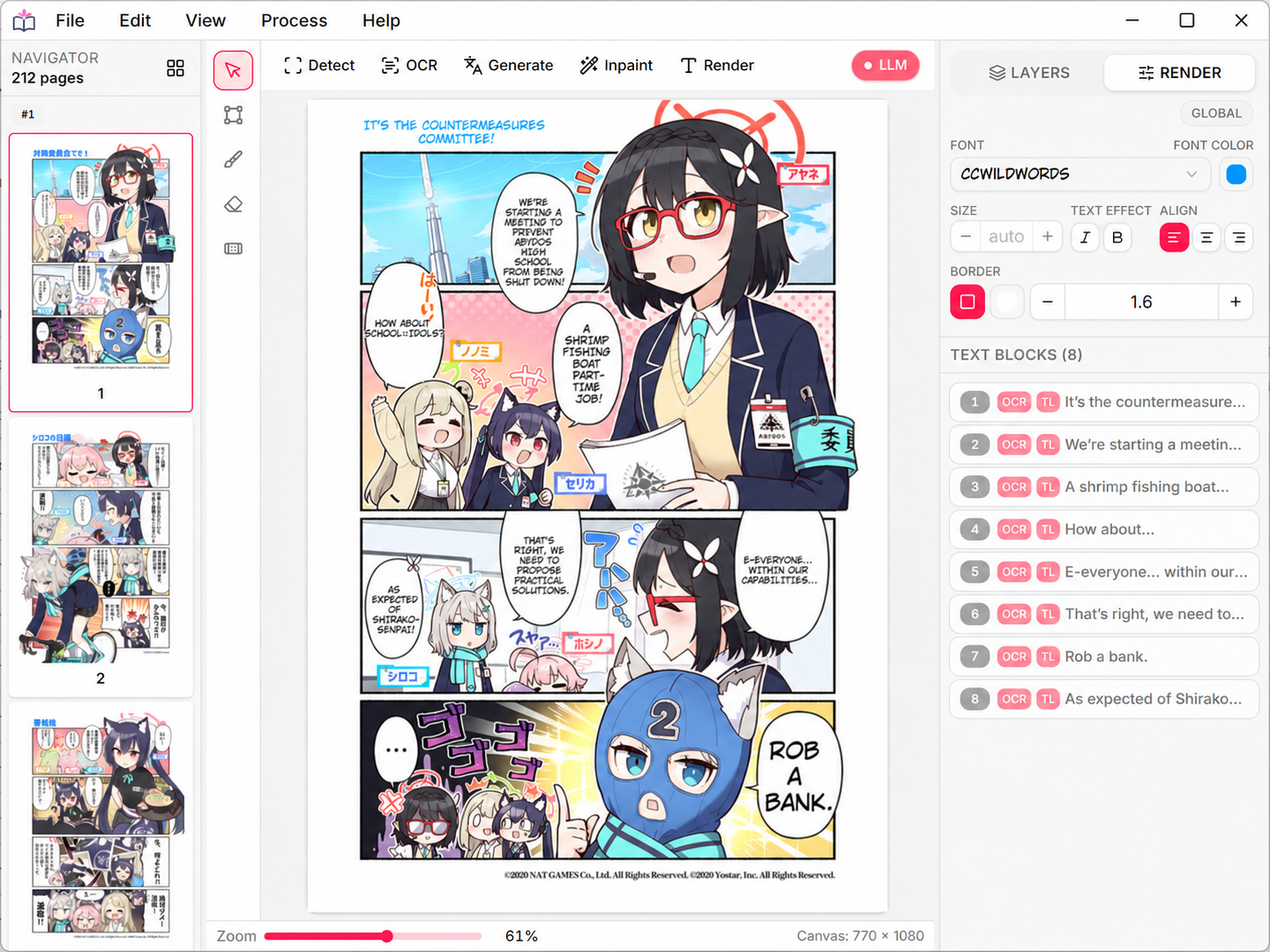
The scanlation desk, connected.
Each stage feeds the next without moving assets between unrelated tools. Review the detected blocks, correct the text, and refine the final lettering at any point.
-
01
Detect
Find text regions, speech bubbles, and page structure.
-
02
OCR
Read dialogue and captions into reviewable Unicode text.
-
03
Inpaint
Remove the source lettering while preserving the artwork.
-
04
Translate
Use a local GGUF model or an optional remote provider.
-
05
Typeset
Review, render, and export the finished page or layered PSD.
One runtime, three ways to work.
The desktop editor, headless Web UI, HTTP API, and MCP tools all use the same project state and page pipeline.
Stay close to every bubble, mask, and line of text.
Import page sets, run individual stages, repair masks, tune lettering, and keep the result editable through export.
- Batch projects
- Vertical CJK
- RTL layout
- Layered PSD
Open the same workspace in a browser.
Run without a desktop window for scripts, batch jobs, or a fixed local server.
MCP + HTTP APILet agents work with the real project state.
Automate project tasks while keeping normal editing and agent actions aligned.
Keep the page close. Reach the cloud by choice.
Yomika can run its vision stack and downloaded translation models on your machine. Remote LLM, machine-translation, and Codex workflows are explicit options rather than hidden dependencies.
- A Local pipelineDetection, OCR, cleanup, and local translation can stay on-device.
- B Provider controlChoose when text or images are sent to a configured service.
- C Practical outputKeep flattened images, editable PSD layers, or project archives.
Ready to turn the first page?
Choose the portable Windows EXE or ZIP—no installer required. Use the repository's Bun wrapper for Linux, macOS, or a custom build.
git clone https://github.com/proxlavee/yomika.git
cd yomika
bun install --frozen-lockfile
bun run build